
Invoicing with AI agents:
your AI works in Enumera
Enumera is ready for invoicing with AI agents: connect it via MCP to Claude, ChatGPT or your own agent and let it look up your figures, prepare quotes, invoices or expenses and, with your approval, issue, collect or send. Always with your permissions.
Works with Claude · ChatGPT · Cursor · VS Code · your own agent
Your AI agent
Connected to Enumera via MCP
Invoice September’s delivery notes and tell me who has owed me money for more than 30 days
documentos_sin_facturar
facturar_documentos
facturas_pendientes_cobro
I’ve prepared 3 draft invoices. Review them and issue them in Enumera. Talleres Martínez and Clínica Sonrisa have owed you money for more than 30 days.
3 draft invoices
From7 September delivery notes
StatusAwaiting your review
Next stepIssue in Enumera
Agent ready
From software with AI to the tool your AI uses
With MCP, the standard AI assistants use to connect to other tools, your agent stops giving you generic advice and starts working with your real customers, invoices and accounting. And the built-in assistant is still there in the app.
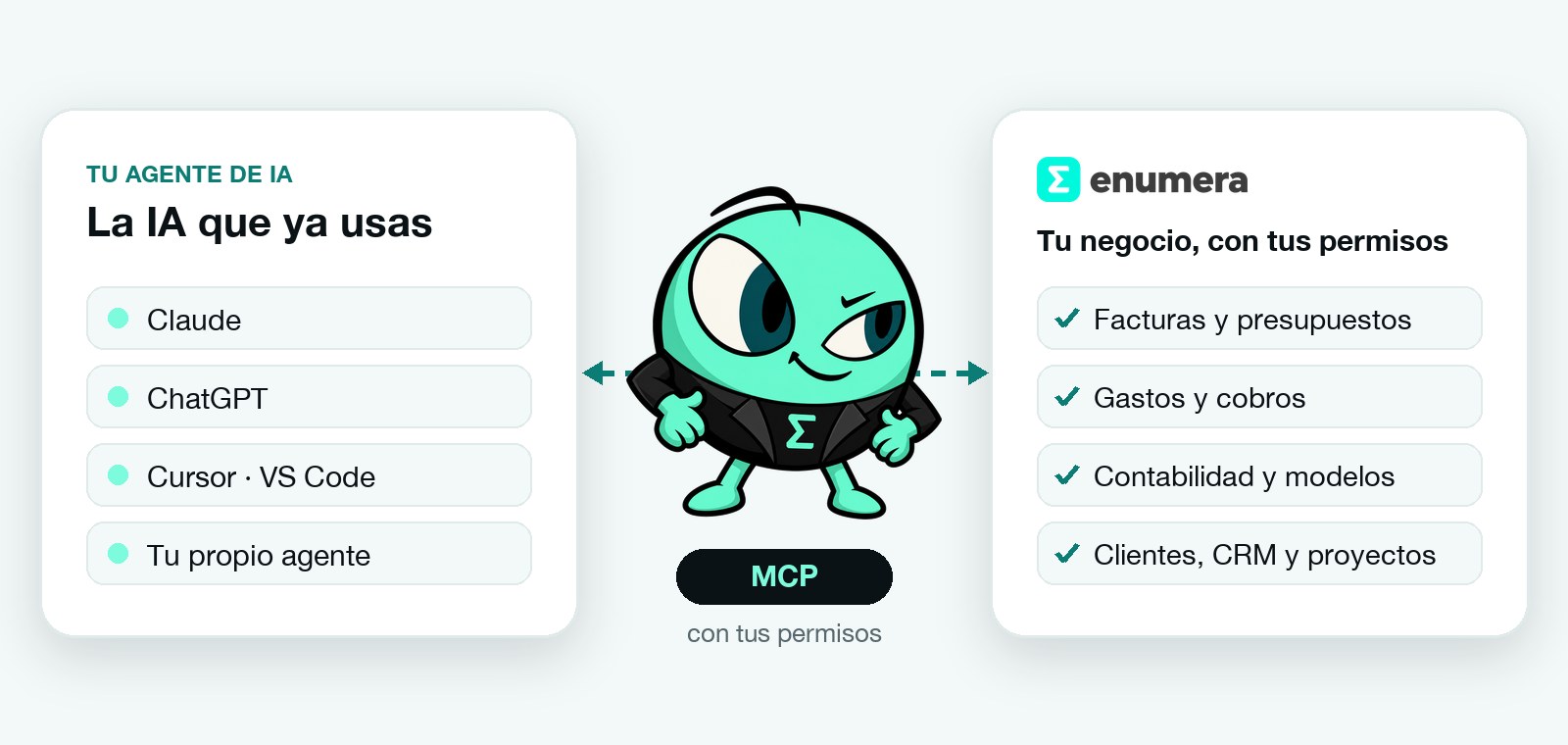
Your AI agents, via MCP
Your usual AI (Claude, ChatGPT or your own agent) connects to Enumera and works with your data: it looks things up, prepares and suggests. Ideal for chaining tasks and running the business day to day from the conversation.
The built-in AI assistant
Inside Enumera, it knows the screen you’re on, your plan and your permissions. It prepares invoices, reads receipts and explains your figures without leaving the app. It’s still there, just as useful.
What it can do
Your agent handles the day to day; you decide
Nearly 200 tools: a hundred for looking things up and almost another hundred that prepare, send, collect or issue for you, always with Enumera’s rules and permissions.
Invoicing
Looks up quotes, delivery notes and invoices, converts quotes, prepares draft invoices and corrective invoices, including from several delivery notes, and issues or sends them when you approve.
Payments and expenses
It tells you what’s awaiting payment, what’s falling due and how much each customer owes you, records payments and expenses and sends payment reminders.
Accounting and tax
Looks up journal entries, balances, accounting reports and the tax summary, prepares the quarter’s tax forms and, with your approval, files them with the AEAT.
Customers and CRM
Finds customers and their history, adds customers and products, validates VAT numbers and creates leads, opportunities and activities.
Projects and hours
Reviews each project’s finances, logs hours and prepares the invoice for whatever is still to be invoiced.
Tasks and calendar
Creates and completes tasks, organises calendar events and sums up your day or month with your figures.
Security
You’re in control, always
Connecting your AI doesn’t mean handing it the keys to the business. Enumera applies your permissions and your company’s policy to every call.
- It acts with your permissions and only in your companies
- Whatever your company decides goes through a person’s approval
- Issuing, voiding or filing with the AEAT is always approved by you in Enumera
- Every action is recorded in the audit log and in “What has my AI done”
- You revoke a connection instantly, without touching your password
- Per-minute limits and loop detection to prevent overuse
How it connects
Connect your AI to Enumera in three steps
No coding needed. If your AI client uses a configuration file, this is the snippet:
1. Create the connection
In Enumera, go to Profile › My AI connections and create a connection with its personal token.
2. Copy the address
Enumera’s MCP server is at https://app.enumera.es/mcp. You can also see it in your profile.
3. Paste it into your AI
Add the server in Claude, ChatGPT, Cursor, VS Code or your agent and start asking it for things.
{
  "mcpServers": {
    "enumera": {
      "type": "http",
      "url": "https://app.enumera.es/mcp",
      "headers": { "Authorization": "Bearer <your token>" }
    }
  }
}
Ask it like this
Talk to your AI as you would to your accountant
Enumera includes scripts for the most common jobs: the daily summary, preparing an invoice, reviewing overdue payments, recording expenses and closing the month. Your agent uses them to get it right first time.
- “Give me the daily summary: payments, due dates and tasks”
- “Prepare the invoice for this month’s hours on the Floristería Sanz project”
- “Which invoices have been awaiting payment for more than 30 days?”
- “Log today’s €45 of petrol as an expense”
- “Tell me how the month went and what anomalies you see”
FAQ
Questions about invoicing with AI agents
If you can’t find what you’re looking for, write to us and we’ll help.
What is invoicing with AI agents?
It means letting an AI agent, such as Claude or ChatGPT, work directly with your invoicing software: it looks up your data, prepares quotes and invoices, records expenses or creates tasks and, with your approval, issues, collects or sends. With Enumera it does this through MCP and always with your permissions.
What are the advantages of invoicing with AI agents?
You save time on repetitive work: your agent prepares the month’s invoices, reviews what’s awaiting payment or sums up how the business is doing while you get on with something else. It also works with your real Enumera data, not with guesses, and respects your permissions and your company’s approvals. And you can chain tasks in a single conversation, for example: “prepare the invoices for September’s delivery notes and tell me who has owed me money for more than 30 days”.
What is MCP?
MCP (Model Context Protocol) is the open standard AI assistants use to connect to external tools. Enumera has its own MCP server, so your AI sees the same tools the built-in assistant uses.
Which AI does it work with?
With MCP-compatible clients: Claude, ChatGPT, Cursor, VS Code or your own agent. You just give them the Enumera server address and your personal token.
Can my AI issue or collect invoices on its own?
Not without your approval. Your AI can ask for an invoice to be issued or voided, a payment to be recorded or a document to be sent, but that creates an approval request. Anything irreversible (issuing, voiding, filing with the AEAT or reversing a payment) is always approved by a person signed in to Enumera, and no AI can approve it. Payments and sending follow your company’s policy, which by default also requires approval.
Is it safe to connect my AI to Enumera?
The AI acts with your permissions and only in your companies. Anything that needs approval, according to your company’s policy, waits for a person to approve it. Every action is also recorded in the audit log and you can revoke the connection whenever you want.
Do I need to know how to code?
No. You create the connection in your Enumera profile, copy the address and the token and paste them into your AI client. If you have a developer, they can also use Enumera’s API and webhooks.
How is it different from the built-in AI assistant?
The built-in assistant lives inside Enumera and you use it from the app itself. With MCP, it’s your usual AI, the one you already use for other tasks, that works with Enumera. You can use both.
Can I see what my AI has done?
Yes. Everything an agent does is recorded in the audit log with its origin and in “What has my AI done”. Pending approvals reach you in the notifications bell.
Which plans include AI connections?
AI connections are included from the Esencial plan, with no limit on connections or calls per day (with per-minute limits to prevent overuse). The Free plan includes the built-in AI assistant, but not connections. You can check this on Pricing or under Subscription › Usage and limits in the app.